A Professional In-Store POS — Built Right Into Your Live-Selling Backend
Scan to ring up sales, send e-receipts, never miscount change — your livestream and your storefront share one stock list and one set of AIAccount.my books, and customers can see you run things properly.
Every POS Feature You Need — Nothing You Don't
We're not trying to build another flashy standalone POS system — we're building the "livestream boss opens a physical store" piece, deeply wired into the existing NetShop backend.
Tablet + Phone Responsive
iPad / Android tablet delivers the best full-screen touch experience, staff can take payments on their phones, and desktop browsers work the same way — plug in a barcode scanner to scan SKUs, then print a digital PDF receipt or push it to the customer's WhatsApp. No receipt printer needed.
6-Way Mixed Payment
Cash / e-Wallet / Touch'n Go / GrabPay / DuitNow / bank card — a single bill can split across cash + e-wallet. If the customer only brought half in cash, they can still check out, and POS calculates change and remaining due automatically.
Bilingual + Blogger-Level Settings
Store name, logo, tax rate, receipt footer copy, payment method enable/disable — all configurable at the blogger level, no need to bother the super admin every time. Each blogger's store is independently configured with zero cross-interference.
Livestream Sales + In-Store Sales = One Report
Other POS products treat online shop and offline register as separate datasets — we use the same orders table, so livestream orders and POS receipts sit on the same sales curve.
Unified data isn't Excel export-and-merge — it's one database at the foundation. At AIAccount.my reconciliation time, livestream orders and POS sales both get dual-sided invoicing. Bloggers see livestream + in-store revenue side by side on their dashboard, and owners see all-blogger performance auto-aggregated across online and offline without manual totaling.
- One sales report — livestream GMV + POS in-store sales displayed together. No more two backends and two Excel files.
- Dual-sided invoicing — online orders flow through e-Invoice, POS receipts through retail invoicing. Both document sets land in the same AIAccount.my ledger.
- Top 10 best sellers merged — see at a glance which SKUs sell both on livestream and in-store so you can make sharper buying decisions.
Cashiers and Blogger Owners — Separate Entrances
Same POS engine, two access modes — permission isolation is written in code, not in an SOP hoping staff "don't click the wrong thing."
Standalone POS Entrance
Cashier-only full-screen touch mode · 24-hour long session (no repeated logins) · only sees today's own-shift transactions and refunds · no access to product cost, blogger backend menus, or member privacy — lock the tablet on the counter and staff can't misclick anything.
Blogger Admin POS Module
Blogger owners enter via the POS menu in their own backend · shares the same underlying system as cashiers but with elevated permissions · can view historical transactions, approve refunds, configure payment methods, and export daily/monthly close — one entrance manages every store.
Small but Complete
Refund Management
Customer return, wrong amount charged, payment refund back to source — one click in POS to initiate. Audit logs capture who initiated, who approved, and which channel received the refund — so any later bookkeeping check has evidence.
Sales Dashboard
Today's revenue, shift reconciliation, payment method breakdown pie chart, hourly sales curve — a blogger can check the day's performance at a glance before closing. No Excel export required.
Top 10 Best Sellers
Auto-aggregated in-store bestsellers by day / week / month — cross-check against livestream bestsellers and the next reorder decision writes itself.
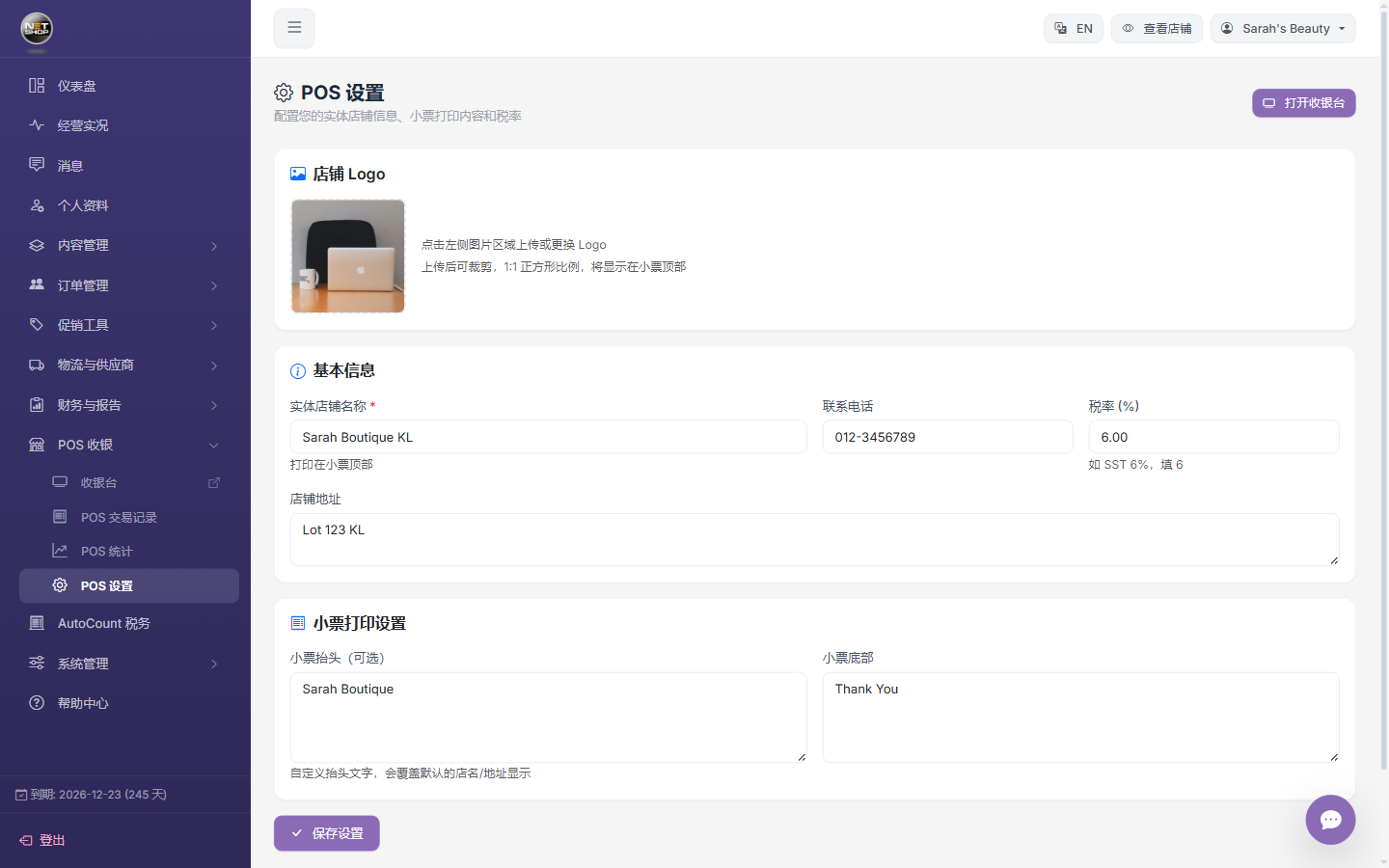
Blogger-level POS settings · store name / tax rate / receipt content configured independently
Who's Using NetShop POS
Multi-Store Blogger Chains
Beauty and fashion bloggers running 3-5 physical stores — one tablet per store, staff fills in on phones, and HQ sees all-store sales, unified pricing, and unified promotions through the blogger backend.
Livestream + Pop-Up Store
Livestream during the week, pop up in a mall on weekends — same inventory, same stock pool. Livestream orders and pop-up POS receipts auto-merge into one sales report, no dual reconciliation.
New Retail Experience Store
Physical stores serve as experience + pickup points — customers scan to order (online flow), pay in-store (POS flow), and online + offline sales roll into the same sales report so the blogger sees exactly how much the store contributes.